Hand Writer: Digital Speed, Analog Soul
Every business owner knows the value of a hand-signed letter. Every friend appreciates a birthday card over a text. But in a fast-paced world, sitting down with a pen for an hour feels like a luxury. This is the problem that a Hand Writer approach directly solves. It offers a pragmatic middle ground between the sterile efficiency of typing and the personal warmth of cursive. It does not replace your own handwriting; it amplifies your ability to use it, or a convincing facsimile of it, across a much wider range of tasks.
Moving Beyond Standard Typography
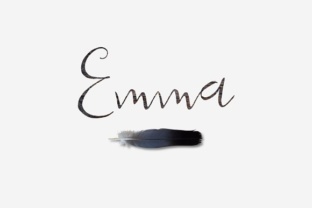
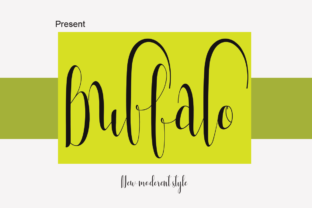
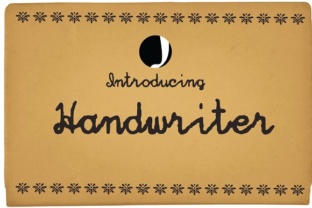
The secret to a good hand-writing tool lies in the details. Early digital handwriting fonts looked stiff, repetitive, and mechanical. Every letter sat perfectly on the baseline. Modern solutions, however, are vastly different. They use contextual alternates and ligatures. This means the letter “t” might look slightly different depending on whether it appears in the middle of a word or at the end. Some advanced software can even analyze a one-page handwriting sample you provide and turn it into a complete, working font.
This is the core appeal of the modern Hand Writer concept: injecting genuine human imperfection into a digital workflow. The slight wobble in a stroke, the varying pressure on a downstroke, and the natural slant all contribute to an output that feels authentic. For the recipient, it often bypasses the mental filter of “this is mass-produced” and lands as a thoughtful, one-on-one communication.
Three Ways to Get Started Today
You do not need to be a designer or a tech wizard to explore what hand-writing tools can do. The entry points are simpler than you might expect.
1. Web-Based Generators
Most people do not start by building their own font from scratch. A smarter entry point is a web-based handwriting generator. You paste your text, select a style (like “Cursive,” “Print,” or “Sans Serif Hand”), and adjust the size and spacing. The output can be saved as a transparent PNG or a high-resolution PDF. This alone can handle about 80% of common needs, from creating custom headers for social media posts to generating quick, aesthetic notes for a digital journal.
2. Custom Font Creation
If you want your own unique script digitized, there are services and apps that guide you through writing specific characters on a template. You take a photo or scan it, and the software maps your handwriting into a functional TrueType or OpenType font file. Once installed, you can type an email or a letter in Microsoft Word or Google Docs using your very own handwriting. It is a surreal experience to see your personal scribble rendered perfectly for a formal document.
3. Robotic Mailing Services
For professional outreach, nothing beats a service that uses an actual robot arm to hold a pen and write your message on real paper. These services integrate with CRMs like Salesforce or HubSpot. You upload a list of names and addresses, write a template message, and the machine writes, dries, and mails each one. The result is indistinguishable from a handwritten note because, technically, it was written by a real pen on real paper.
Where Hand Writer Tools Make the Biggest Impact
Different audiences will find different value in this technology. The versatility is what makes it so interesting.
Strengthening Client Relationships
Realtors often use handwritten note services to follow up with potential buyers after an open house. A quick message saying, “Thank you for visiting, I think the basement has great potential!” feels immediate and personal. For financial advisors or insurance agents, a hand-written birthday card or a note acknowledging a policy anniversary can dramatically improve client retention. The cost is low, but the perceived effort is incredibly high.
Boosting Creative Projects
Artists use hand-writing generators to create layered pieces without the risk of smudging or suffering from writer’s cramp. It is perfect for mockups. If you are a designer designing a logo for a coffee shop, you can quickly generate fifty variations of “Artisan Roast” in different hand-lettered styles to show a client, without hiring a calligrapher for the rough draft. Educators also benefit by generating custom cursive practice sheets for students at different skill levels with just a few clicks.
Enhancing Personal Expression
For the hobbyist, creating a beautifully handwritten recipe book from family recipes becomes a weekend project rather than a year-long task. Planning a wedding? Use it to draft uniform addresses on twenty different envelopes or create personalized place cards that look like they were done by a professional calligrapher. It allows you to achieve a polished look even if your own handwriting is naturally messy or inconsistent.
Navigating the Details: Quality and Ethics
Before diving in, it is worth pausing to consider a few practical factors. Not all tools are created equal, and using them effectively requires a bit of thought.
Cost vs. Authenticity. Free tools often provide a limited selection of basic stylized fonts. The letters may repeat too quickly, making the “handwriting” look suspect. Paid, professional-grade software or robotic services cost more but offer vastly superior realism. Determine your primary use case. If you are sending occasional personal letters, a free generator might be perfect. If you are doing high-volume client outreach, the investment in quality is worthwhile.
The Transparency Question. This is the most important consideration. Using a Hand Writer tool to manage volume is fine, but the content should always be genuine and appropriate for the context. If a recipient discovers the note was robotically generated when they expected a fully original personal scribble, the perceived effort evaporates. A good hybrid approach is to use the tool for the body of the text but add a personal, real pen-and-ink postscript for your most important communications. This combines efficiency with undeniable authenticity.
Format and Integration. Does the tool support the file format you need? If you need a physical letter, look for services that offer real ink. If you are creating digital content, ensure the output is a high-DPI PNG or a scalable vector. Check if the font you create is compatible with your operating system and software. Most modern fonts work everywhere, but it is always wise to test a sample first.
Choosing Your Path Forward
The best approach is to experiment. Start with the free web-based tools to understand what feels authentic to you. Pay attention to the spacing and the variation in the characters. Does it look like a person wrote it, or does it look like a machine mimicking a person?
From there, you can confidently decide if investing in a custom font or a high-end mailing service is right for your personal or business goals. The Hand Writer is just a tool. It is an extension of your intent. Whether you are a busy entrepreneur trying to build a loyal customer base or a creative individual looking to add a warm touch to a project, this blend of digital efficiency and human warmth is worth exploring. Your message and your thoughtfulness are what truly leave a mark—the tool just helps you do it faster.